Halo › Compare
Halo vs NotchNook
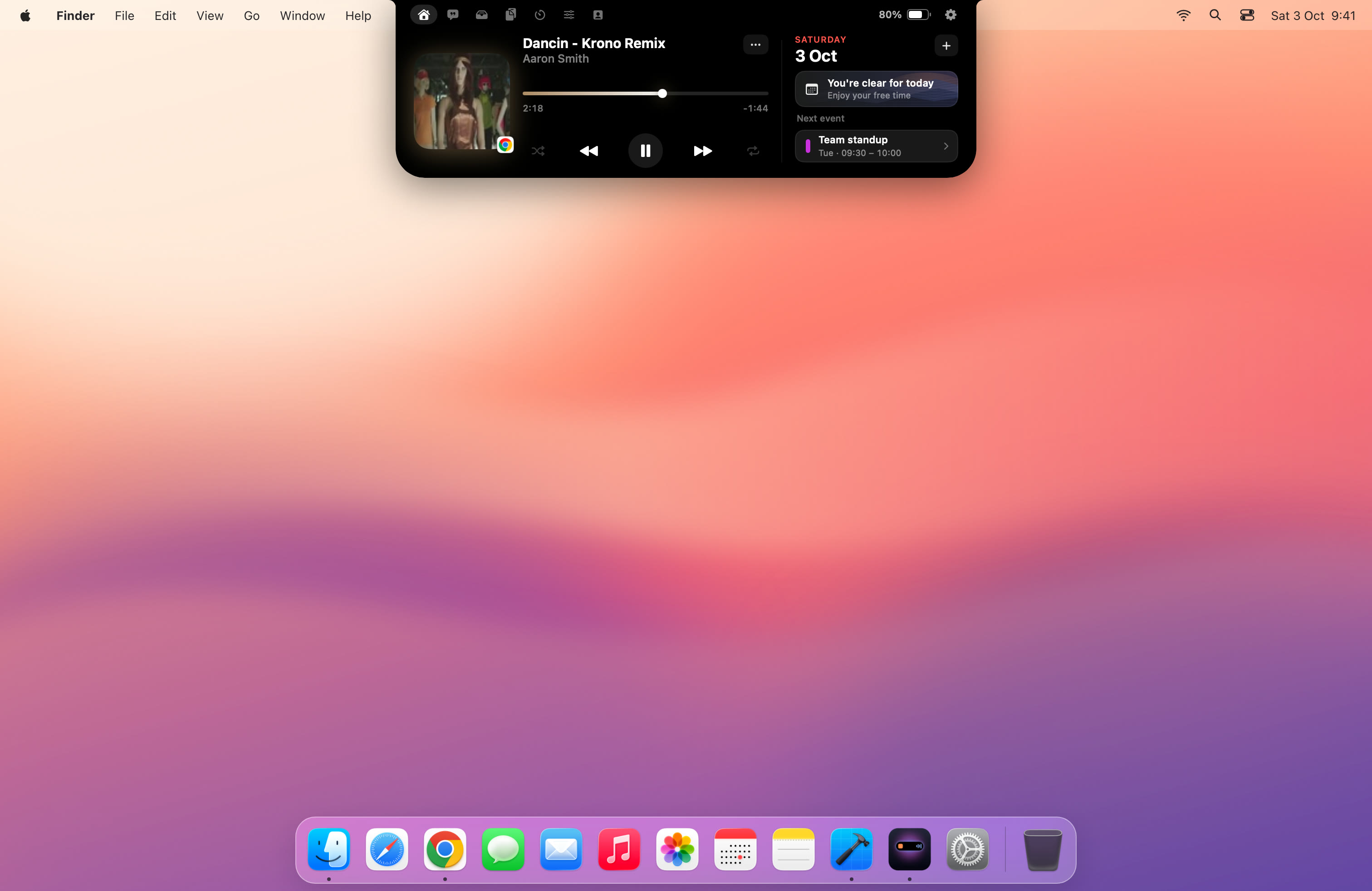
Both turn your MacBook's notch into a Dynamic Island. Here's where they differ, so you can pick the right one.
The short answer
Pick Halo if…
you want a lower one-time price, you work on an external monitor and want its brightness keys to work, or you like synced lyrics in the notch.
Pick NotchNook if…
you want the most established notch app, Shortcuts support, one license for five Macs, or you already pay for Setapp.
Side by side
| Halo | NotchNook | |
|---|---|---|
| Price | $9.99 one-time ($4.99 launch price until 6 Oct 2026) | $25 one-time (5 Macs) or $3/month (2 Macs) |
| Also on Setapp | No | Yes |
| Works on screens without a notch | Yes, draws an island sized from the menu bar | Yes, draws an artificial notch |
| External monitor brightness, contrast and input (DDC/CI) | Yes, from the brightness keys and the island | Not listed |
| Now playing from any app | Yes, with artwork, scrubber, shuffle and repeat | Yes |
| Synced lyrics | Yes | Not listed |
| File shelf | Yes, with AirDrop | Yes |
| Shortcuts support | Not listed | Yes |
| Device batteries (Mac, AirPods, Bluetooth) | Yes | Not listed |
| Account or analytics | No account, no analytics | Not listed |
| Requirements | macOS 15 or later, Apple silicon and Intel | Not listed |
"Not listed" means we couldn't find the feature in NotchNook's public descriptions, not that it's definitely missing. NotchNook's own site didn't load when we checked, so its details come from the sources below. If something here is wrong, tell me and I'll fix it.
Where Halo is different
External monitors, properly
macOS can't change most external monitors' brightness; the keys just show a HUD. Halo talks to the monitor over DDC/CI, the same channel its own buttons use, so the brightness keys dim whichever screen your cursor is on. The Controls tab adds contrast and input switching. This needs Apple silicon and a monitor that supports DDC/CI. More on how that works.
Price
Halo is a one-time $9.99 with no subscription option at all.
Lyrics and batteries
Halo shows synced lyrics for the song that's playing (looked up on LRCLIB by title and artist) and a Batteries tab with your Mac, AirPods and other Bluetooth devices.
Where NotchNook is ahead
NotchNook defined this category and has the longer history. Its license covers five Macs, it supports Shortcuts, and it's included in Setapp, which is good value if you already subscribe.
Questions
Is Halo a good NotchNook alternative?
Yes, if you want the core notch features (now playing, file shelf, HUDs) for less, or you use an external monitor: Halo controls its real brightness, contrast and input over DDC/CI from the island. NotchNook has the longer track record, Shortcuts support and a five-Mac license.
Which is cheaper, Halo or NotchNook?
Halo is $9.99 one-time. NotchNook is $25 one-time for 5 devices or $3 a month for 2 devices, and is also part of Setapp.
Do both work on Macs without a notch?
Yes. Both draw an island at the top of screens that have no notch, such as external monitors, a Mac mini or an older MacBook.
Can I use both?
You can, but only one island should own the notch at a time. Quit one before trying the other.
Sources: macnotch.io comparison, FavTray: NotchNook vs Boring Notch, The Mac Observer, and Halo's site.
Try Halo
Dynamic Island for your Mac, notch or not. $9.99 one-time, no subscription.
Buy Halo