Halo › Guides
How to change external monitor brightness on a Mac
Your MacBook's brightness keys work on its own screen and do nothing on most external monitors. Here's why, and how to fix it.
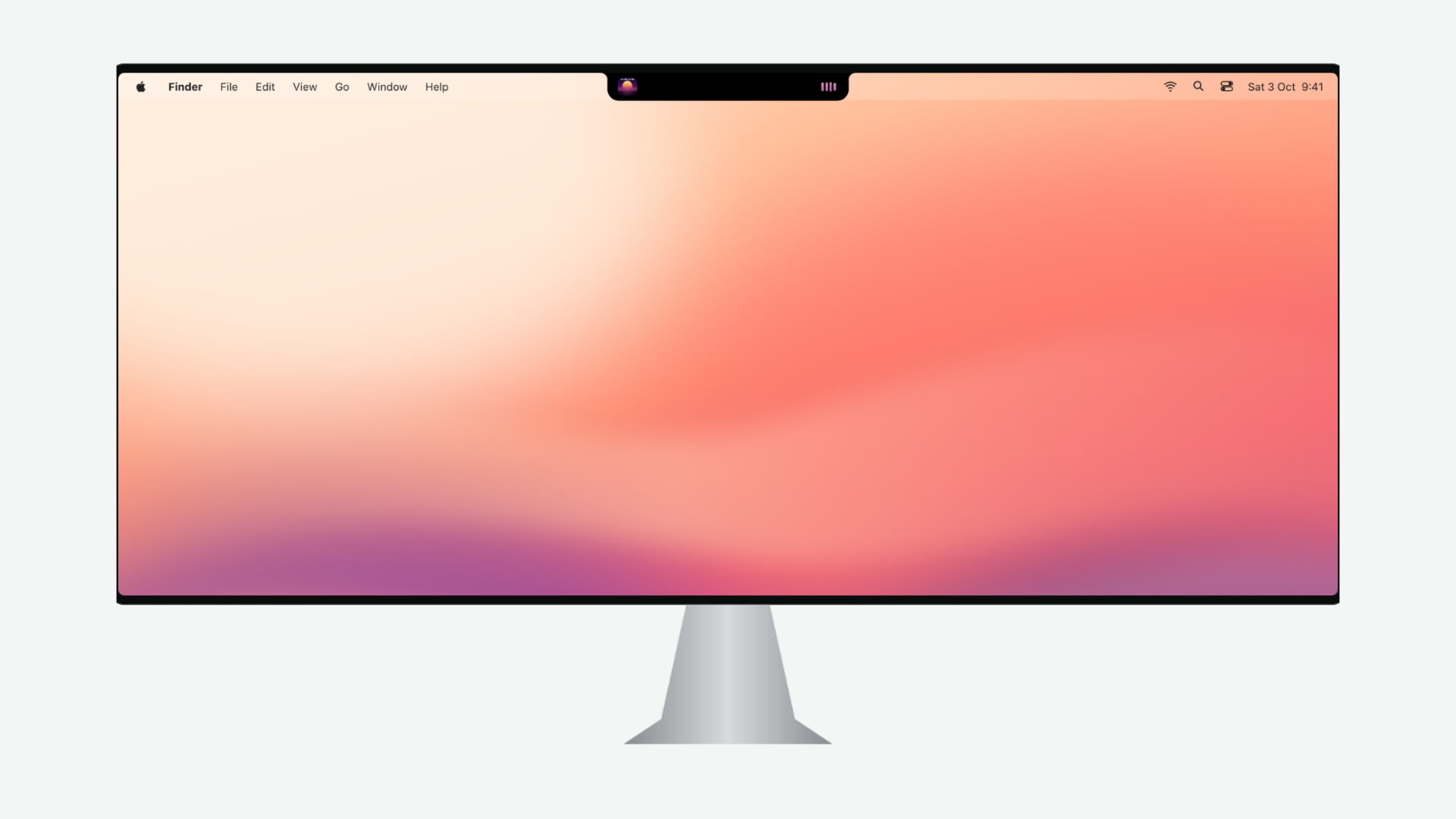
Why the brightness keys don't work
macOS controls the backlight of the built-in display and of Apple's own monitors, such as the Studio Display. Almost every other monitor sets its own backlight. When you press the brightness key with one of those, macOS shows the brightness HUD but the monitor ignores it.
The fix is a channel most monitors already support: DDC/CI. It runs over the same cable as the picture and lets the Mac change the monitor's brightness, contrast and input, exactly as the monitor's own buttons would.
Option 1: the monitor's buttons
Always works, but it means reaching around to the monitor's menu every time the light in the room changes.
Option 2: an app that speaks DDC/CI
- Halo ($9.99 one-time): the brightness keys dim whichever monitor your cursor is on, with a HUD in the notch island; the Controls tab adds contrast and input switching. Needs Apple silicon.
- MonitorControl (free, open source): a menu bar app focused on brightness and volume.
- Lunar and BetterDisplay: deeper display tools with free and paid tiers.
All of them use DDC/CI, so the tips below apply to every one.
Setting it up with Halo
- Install Halo and open it. On a monitor without a notch it draws an island at the top of the screen.
- Move your cursor onto the external monitor and press the brightness keys. The monitor's real backlight changes and the HUD shows the level.
- Open the island and go to Controls for brightness and contrast sliders and the input switcher (HDMI 1/2, DisplayPort 1/2).
If brightness doesn't change
- Turn on DDC/CI in the monitor's on-screen menu. Some monitors ship with it off.
- Use a direct cable. DisplayPort and USB-C are the most reliable. Some hubs, docks and adapters strip DDC; DisplayLink docks never pass it.
- TVs rarely support DDC/CI. Use their own remote or settings.
- Intel Macs: Halo's monitor control needs Apple silicon; MonitorControl supports Intel too.
Questions
Why don't my Mac's brightness keys work on my external monitor?
macOS only changes the brightness of displays it controls directly: the built-in screen and Apple displays like the Studio Display. Other monitors set their own backlight, so macOS shows the brightness HUD but nothing changes.
What is DDC/CI?
DDC/CI is a standard channel over the video cable that lets a computer read and change a monitor's settings, like brightness, contrast and input. Most modern monitors support it; some have a DDC/CI option in their on-screen menu that has to be on.
Does DDC work over HDMI, DisplayPort and USB-C?
Usually yes, especially over DisplayPort and USB-C. Some docks, adapters and hubs don't pass DDC through; DisplayLink docks never do. If brightness doesn't change, try a direct cable.
Does Halo's monitor control work on Intel Macs?
Halo runs on Intel Macs, but its external monitor control needs Apple silicon.
Is there a free option?
Yes. MonitorControl is free and open source and focuses on brightness and volume. Halo does it from the notch island alongside music, timers and files.
Try Halo
Dynamic Island for your Mac, notch or not. $9.99 one-time, no subscription.
Buy Halo